Capture any webpage.
Instantly.
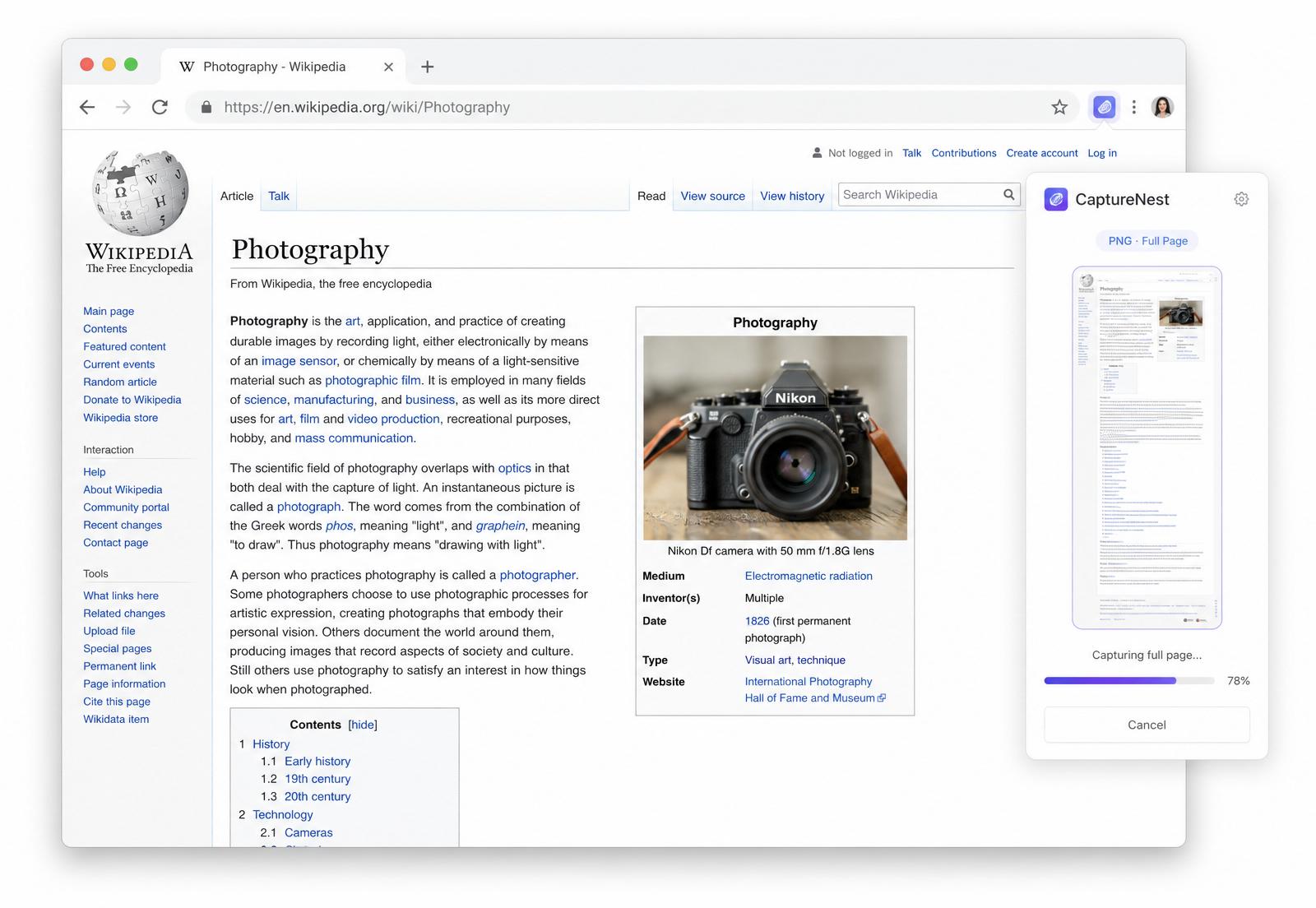
Capture full-page screenshots instantly. Smart cleanup, local history, PNG, JPEG, WebP & PDF export. Fast, private, and works on almost any website.
Works with your favorite websites


Everything you need to capture the web.
Designed for speed, built for privacy. Beautifully simple from the very first click.
Full Page Capture
Automatically captures the entire webpage — top to bottom, edge to edge.
Smart Cleanup
Remove cookie banners, popups and distractions before the capture.
Multiple Export Formats
PNG, JPEG, WebP & PDF. Pick the perfect format for every share.
Local History
Access previous captures instantly. Re-download with one click.
One Click
Capture any page with a single click. Keyboard shortcut included.
Privacy First
Everything stays on your device. No accounts, no uploads, no tracking.
Four steps. About four seconds.
Open CaptureNest
Click the extension icon or press the shortcut.
Automatic Scrolling
We scroll and stitch the entire page for you.
Smart Cleanup
Banners, chat widgets and ads disappear.
Export
Save as PNG, JPEG, WebP or PDF. Done.
Every detail, designed to feel effortless.
Each screen below shows a different part of the CaptureNest experience — from the one-click capture flow to local-only privacy.
Full Page. No limits.
CaptureNest scrolls the entire page for you, then stitches every section into a single seamless image — no matter how long the article, thread or document.
- Ultra-long pages
- Automatic stitching
- Pixel-perfect output
Clean. Instantly.
Cookie banners, newsletter popups, sticky ads and floating chat widgets are detected and removed before the capture — so you save what matters, not the noise.
- Cookie banners
- Newsletter popups
- Sticky ads & widgets
Export Anywhere.
Save the same capture as PNG for lossless quality, JPEG for sharing, WebP for the web, or PDF for archives and print — picked in a single click.
- PNG · JPEG · WebP · PDF
- One-click export
- Optimized file sizes
History. Never lose a capture.
Every screenshot is kept in your local history with previews, file size and source. Re-open, re-download or delete anything in seconds — fully searchable.
- Searchable timeline
- Instant re-download
- Storage stays on-device
Click. Capture. Done.
One click on the toolbar icon is all it takes. CaptureNest detects the page, scrolls, cleans, and delivers your screenshot — no settings, no setup.
- One-click capture
- Auto-detect & scroll
- Ready in seconds
Private. Always.
Every step — capture, processing, storage — runs locally in your browser. No servers, no uploads, no tracking, no account required. Ever.
- 100% local processing
- No data collection
- No account required
Why choose CaptureNest?
| Feature | CaptureNest | Traditional | Manual Stitching |
|---|---|---|---|
| Entire webpage | |||
| Smart Cleanup | |||
| WebP export | |||
| PDF export | |||
| Local History | |||
| One click | |||
| Privacy-first |
Privacy comes first.
Everything stays on your device.
No account
Use it instantly — no sign-ups, no emails.
No tracking
Zero analytics. Zero telemetry. Zero ads.
No upload
Your screenshots never leave your machine.
Local processing
Capture, render and export — all on-device.
Questions, answered.
Everything you might want to know before installing.
Yes. CaptureNest scrolls and stitches pages of virtually any length, including infinite-scroll feeds.
Ready to capture any webpage?
Install CaptureNest in your browser and start capturing full pages in seconds.
Free forever.